
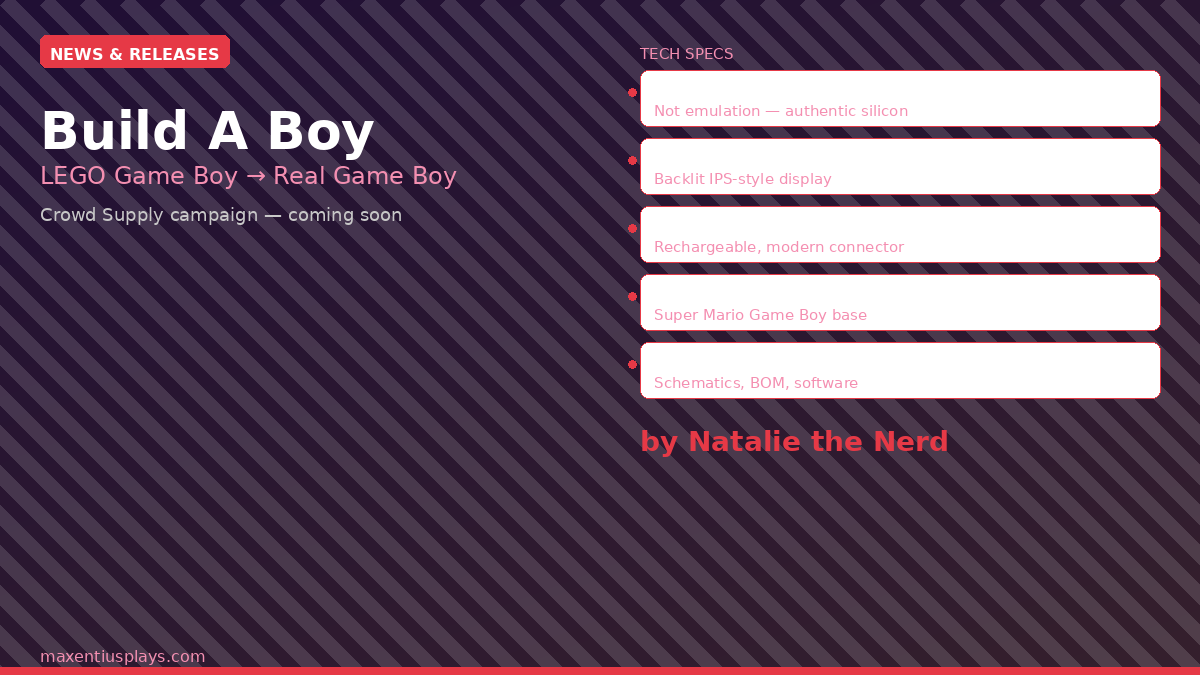
If you built the LEGO Nintendo Game Boy set last year and quietly wished it actually played real cartridges, you’re not alone — and someone just made that dream a reality. Build A Boy, a DIY PCB kit by hardware developer Natalie Cursio (better known online as Natalie the Nerd), has just opened a launch page on Crowd Supply. The page is live now, the specs are confirmed, and sign-ups for launch notifications are open. For anyone who grew up with a Game Boy DMG in their hands, this one’s worth paying attention to.
📱 Watch the Short
Prefer a quick summary? Watch the 30-second version on YouTube.
What Is Build A Boy?
When LEGO released their Game Boy DMG set (set #72046) in 2025, the reaction from the retro gaming community was split. Half the crowd loved it as a beautifully detailed display piece. The other half immediately asked: but can it play games? The official answer was no — the set came with decorative pseudo-cartridges for Zelda and Mario, but no actual playable hardware inside.
Natalie the Nerd decided to fix that. She engineered a custom PCB that fits inside the LEGO shell and turns the display model into a functioning Game Boy, complete with authentic silicon and modern quality-of-life upgrades. After sharing her work on her blog and generating significant community interest, she’s now preparing to bring Build A Boy to the public via Crowd Supply.
Build A Boy Specs: What You’re Actually Getting
This isn’t emulation. Build A Boy runs on an authentic DMG/SGB/MGB CPU — the real Game Boy processor — which means software compatibility is as good as it gets. Here’s the full confirmed spec sheet from the Crowd Supply launch page:
- CPU: Authentic DM/SGB/MGB CPU (original Game Boy silicon)
- Game compatibility: Original Game Boy cartridges and Game Boy Color-compatible games (DMG-mode GBC games). Note: not compatible with Game Boy Color or Game Boy Advance cartridges.
- Display: 2.73-inch, 320×320 TFT backlit display with 2x integer scaling and built-in color palettes
- Battery: 800 mAh Li-Po with USB Type-C charging
- Buttons: Panasonic tactile switches, 0.8 mm travel, rated for 100,000 cycles
- Connectivity: Optional link port for multiplayer gaming
- Output: Optional display-out functionality
- PCB footprint: 52 × 42 mm
- Required LEGO set: LEGO Super Mario Game Boy (#72046), sold separately
- Open source: Screen driver software, schematics, and bill of materials will be released on GitHub
That display spec deserves a moment. A 320×320 backlit TFT at 2x integer scaling is a significant upgrade over both the original Game Boy’s reflective LCD and many aftermarket IPS mods on real hardware. Color palette support means you can run DMG games with proper colorization, similar to what you’d get from a Game Boy Color’s built-in palette system.
Why Authentic Silicon Matters
A lot of modern handheld projects that call themselves “Game Boy-compatible” are actually running emulation — a soft-core FPGA or ARM processor running software that approximates Game Boy behavior. That works fine for most commercial games, but it can introduce subtle timing differences that matter for link cable play, certain mapper tricks used in homebrew, and edge-case compatibility with less common cartridges.
Build A Boy uses actual original Game Boy silicon, the same CPU family that powered the DMG, Super Game Boy, and Game Boy Pocket. That means cycle-accurate execution, native link cable compatibility, and full support for the cartridge hardware the CPU was designed to communicate with. For GBC homebrew developers and serious collectors, that authenticity matters.
The optional link port is a particularly welcome detail. Wireless Game Boy multiplayer gets a lot of attention lately (the VMUPro just added it; we covered that recently), but there’s something to be said for a proper hardware link port that will work reliably with every link-cable-compatible title without a firmware dependency.
Open Source, Modder-Friendly Design
Natalie has confirmed plans to publish schematics, a bill of materials, and screen driver software to GitHub after launch. That’s a meaningful commitment. It means the modding and homebrew development communities won’t hit a dead end when they want to extend what Build A Boy can do — alternative display drivers, different screen options, custom firmware integration, and hardware modifications will all be possible for anyone with the technical interest.
This approach mirrors the ethos of the best projects in the retro handheld space: ship a polished product, then hand the community the tools to push it further. Compare that to some commercial shell mods and replacement PCBs that treat their hardware as proprietary black boxes.
How to Get Notified
The Crowd Supply page is live at crowdsupply.com/natalie-the-nerd/build-a-boy, listed as “Coming Soon.” Pricing hasn’t been announced yet, but you can subscribe to the page to be notified the moment the campaign goes live. Given the level of community interest and the tight fit between this kit and the existing LEGO Game Boy owner base, it wouldn’t surprise me if a campaign funds quickly once it launches.
If you already own LEGO set #72046 and have been sitting on it waiting for exactly this, now is the time to subscribe. And if you don’t own the set yet, watch for restocks — the Build A Boy launch will almost certainly drive renewed demand for it.
Bottom Line
Build A Boy is the rare product that delivers exactly what the community asked for, built the right way. Authentic hardware, a modern display upgrade, open source commitments, and a DIY kit format that respects your ability to modify and extend it. The LEGO Game Boy was always a beautiful object. Build A Boy makes it a real one.
Head to the Crowd Supply launch page and subscribe now so you don’t miss the campaign when it goes live.
Disclosure: This post does not contain affiliate links. We may earn a commission from qualifying purchases made through links on this site. This does not affect our editorial coverage or recommendations.
▶ Watch on YouTube
Leave a Reply