
This post contains affiliate links. If you purchase through these links, I may earn a small commission at no extra cost to you. I only recommend products I’ve personally researched and believe are worth your money.
The Game Boy Color hardware gets underestimated constantly. Pull one out at a meetup and someone will inevitably call it “just a Game Boy with a color screen.” That take misses almost everything interesting about what Nintendo actually built in 1998 — a machine whose architecture is clever enough that developers are still writing new games for it in 2026.
I spend a lot of time inside the GBC’s guts — writing homebrew, debugging VRAM timing issues at 4 AM, reading Pan Docs obsessively. This deep dive is the article I wish existed when I started: a thorough look at the Game Boy Color hardware, what it can actually do, and why it refuses to be irrelevant.
Why the GBC Exists at All: The WonderSwan Factor
The GBC’s origin story is more dramatic than most people know. By the mid-1990s, the original Game Boy was aging fast but still selling well on the back of Pokémon mania. Nintendo was comfortable. Then, in late 1997, news broke that Bandai was developing the WonderSwan — a new handheld led by Gunpei Yokoi, the engineer who had designed the original Game Boy before departing Nintendo in 1996.
The announcement rattled Nintendo badly enough that investors dumped stock and trading on the Tokyo Stock Exchange briefly halted. Faced with real competition for the first time in the handheld space, Nintendo’s Satoru Okada (who had also worked on the original Game Boy) revisited a shelved internal project called Project Atlantis — a color handheld with a 32-bit processor that had been prototyped in the early 1990s but set aside.
The problem: a 32-bit chip would take too long to bring to market and would break backward compatibility with the enormous Game Boy library. Okada made the call to use a faster version of the existing 8-bit Sharp processor instead. The result was the Game Boy Color — announced March 1998, released in Japan on October 21, 1998, and in North America on November 18 of that year at a launch price of $79.95.
It was a pragmatic decision. It was also the right one.
The CPU: Sharp SM83 and Double-Speed Mode
The GBC’s processor is a Sharp SM83 — a custom 8-bit CPU that combines elements of the Intel 8080 and Zilog Z80 instruction sets without being a full implementation of either. It’s sometimes incorrectly called the LR35902 in older documentation; SM83 is the accurate designation used in Pan Docs and the gbdev community today.
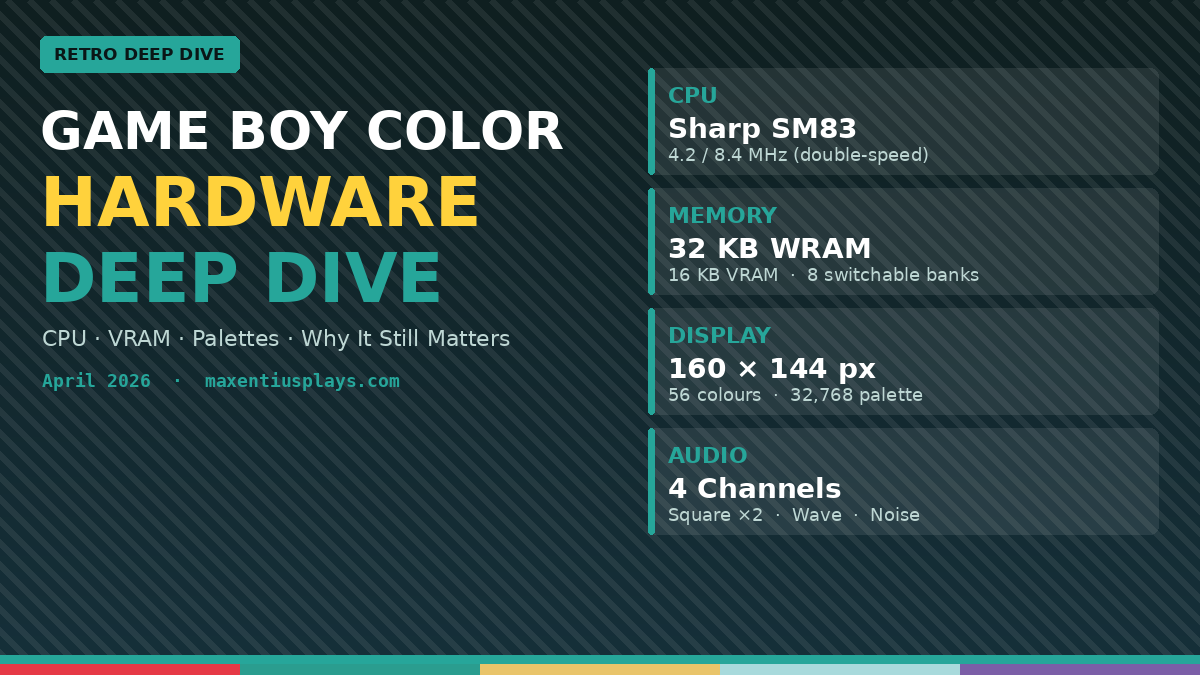
On the original Game Boy, this CPU ran at 4.194304 MHz. On the GBC, it runs at the same speed by default for backward compatibility — but GBC software can switch it into double-speed mode, doubling the clock to 8.388608 MHz. The display and audio hardware do not speed up; only the CPU and DMA transfers benefit from the clock increase.
This is a big deal for GBC-exclusive software. Double-speed mode nearly doubles the amount of AI logic, physics, and game state calculations a developer can perform per frame. It’s why GBC-exclusive games can have noticeably more sophisticated gameplay than their original Game Boy counterparts — not because of new instructions, but because of raw throughput.
The catch: you can’t stay in double-speed mode during a STOP instruction (used for power saving). The hardware returns to normal speed until re-triggered. Battery life was always a tension point on the GBC.
Memory: WRAM, VRAM, and Banked Access
The GBC has 32 KB of Work RAM (WRAM) and 16 KB of Video RAM (VRAM) — four times the RAM of the original Game Boy’s 8 KB WRAM and 8 KB VRAM.
Here’s the wrinkle that trips up new developers: that 32 KB WRAM isn’t flat. It’s split into 8 banks of 4 KB each. Bank 0 is always mapped to 0xC000–0xCFFF. Banks 1–7 are swapped in at 0xD000–0xDFFF via the SVBK register. In GBC-compatibility mode (running a DMG game), only bank 1 is accessible via 0xD000.
VRAM follows the same pattern: two 8 KB banks, selected via the VBK register. Bank 0 holds tile data and the standard background/window tile maps. Bank 1 holds alternate tile data and the background attribute map — which is where all the color palette assignments live. If you’re writing GBC homebrew and your colors aren’t showing up, you forgot to write to VRAM bank 1. Every GBC developer has made this mistake.
The Display: 56 Colors On-Screen Simultaneously
This is where the GBC earns its name. The display is a 160×144 reflective TFT LCD — no backlight in the original hardware, which we’ll come back to — capable of showing colors drawn from a 15-bit palette of 32,768 possible colors.
The on-screen color budget works like this:
- Background + Window layer: 8 palettes (BG0–BG7), each with 4 colors = 32 background colors
- Sprites (OBJ layer): 8 palettes (OBJ0–OBJ7), each with 4 entries but color 0 is always transparent = 24 usable sprite colors
- Total simultaneous on-screen colors: 56
Each color in a palette entry is a 15-bit value packed into 2 bytes: 5 bits each for red, green, and blue. Palettes are written through the BCPS/BCPD registers (background) and OCPS/OCPD registers (sprites) — memory-mapped registers that don’t sit in the standard addressable VRAM space.
Sixty-four tiles are available per 8×8 grid cell on the background map. On the GBC, background tiles can also be flipped horizontally or vertically via attribute flags — a capability the original Game Boy lacked entirely. Sprites can be 8×8 or 8×16 pixels, with per-sprite palette and priority settings.
The PPU (Picture Processing Unit) renders scanline by scanline. If you need to change mid-frame — say, to add a status bar with a different palette — you’re doing it via H-Blank or V-Blank interrupts and very tight timing. Welcome to the fun part.
No Backlight: The GBC’s Biggest Real-World Limitation
The original GBC display has no backlight. It uses a reflective TFT panel that relies on ambient light. In good lighting it looks great. In dim conditions it becomes unplayable — a limitation Nintendo didn’t fully address until the Game Boy Advance SP’s front-lit (and later back-lit) screen.
This is why the IPS backlight mod is one of the most popular GBC modifications in the community today. A properly installed IPS kit transforms the display experience completely — vivid colors, perfect visibility in any light. If you’re buying a GBC for actual use rather than display, a modded unit is worth every penny. We’ve covered the installation process in detail in our GBC IPS Screen Mod Guide.
Audio: Four Channels, Inherited and Unchanged
The GBC’s audio system is inherited wholesale from the original Game Boy. Four channels:
- Channel 1 (Square Wave with Sweep): Frequency sweep capability, duty cycle selectable (12.5%, 25%, 50%, 75%), envelope
- Channel 2 (Square Wave): Same as Channel 1 minus the sweep
- Channel 3 (Wave Output): Programmable 32-nibble waveform stored in RAM — the closest thing to a sampler the GBC has
- Channel 4 (Noise): Linear feedback shift register noise generator, useful for percussion and sound effects
All four channels mix to a single stereo output (left and right independently controllable per channel via NR51). The output quality is limited by the DAC, and the analog output path has audible DC offset and some channel interaction issues that have been well-documented by the gbdev audio community.
The GBC added no new audio capabilities over the DMG. What it did add — via double-speed mode and extra RAM — is the headroom for more sophisticated software mixing. Games that stream PCM audio samples through Channel 3 by updating the wave RAM every few samples can achieve surprisingly convincing speech and music. It’s a technique that was used commercially and is still explored in homebrew today.
The Infrared Port
Every GBC shipped with an infrared communication port — a small window in the top of the unit that could transmit and receive IR pulses via the RP register (0xFF56). It was used commercially by a handful of games including Pokémon Gold/Silver (for Mystery Gift), Kirby Tilt ‘n’ Tumble, and the Game Boy Camera.
The IR port is simple — it’s basically a digital on/off transmitter/receiver, not a protocol stack. Software has to implement its own framing and timing. The range is short (direct line-of-sight, close range), and the Game Boy Advance removed the port entirely. But in the GBC homebrew scene, it occasionally gets revived for experimental two-device communication projects.
Game Compatibility Tiers: DMG, GBC-Compatible, GBC-Exclusive
The GBC identifies game type via a byte in the cartridge header at address 0x0143:
- 0x80 (or 0x00): DMG game — runs in backward-compatibility mode. GBC auto-applies a color palette based on a hash of the game title (Nintendo’s built-in colorization). You can’t control this from software.
- 0x80 (with GBC flag set): GBC-compatible — the game provides its own palettes for GBC but also runs on original DMG hardware in monochrome.
- 0xC0: GBC-exclusive — the game refuses to boot on original DMG hardware. Has full access to all GBC features including double-speed mode.
That automatic colorization for DMG games is clever: Nintendo embedded a lookup table mapping 66 known title hashes to specific palette sets. When you put a DMG cart in a GBC and press a button at startup, you can cycle through alternate palettes — a detail most people never discovered.
Why GBC Homebrew Is Still Thriving in 2026
The GBC homebrew scene is more active now than it was a decade ago. New tools, better documentation, and a generation of developers who grew up playing these games are driving a genuine creative renaissance.
The technical reasons the GBC is a great homebrew target:
- Excellent documentation: Pan Docs is one of the best-maintained hardware reference documents for any retro platform, updated as recently as April 2026.
- Mature tooling: RGBDS (the assembler/linker toolchain) and GBDK-2020 (a C SDK) are both actively maintained. You can write readable, modern C code and have it running on real hardware.
- Physical distribution: EverDrive-style flash carts let you run code on real hardware immediately. The community around physical homebrew releases via publishers like Incube8 and Bitmap Bureau has real momentum.
- Manageable complexity: The GBC is complicated enough to be interesting and simple enough to fully understand. Every register is documented. There are no mysteries. For someone learning hardware-level programming, that’s invaluable.
- Great output for the constraints: The 56-color limit and 160×144 resolution force good design decisions. GBC art style is distinctive and appealing in a way that higher-resolution systems often aren’t.
The homebrew pipeline from code to cartridge has also matured dramatically. It’s now feasible for an independent developer to write a GBC game, manufacture physical cartridges through a small-run supplier, and sell them directly. That wasn’t realistic ten years ago.
Collecting GBC Hardware: What to Look For
If you’re looking to buy a GBC for your collection or to run homebrew, a few things to know:
Shell condition matters more than you’d think. GBC plastic is prone to yellowing (UV degradation) and paint wear on colored units. The Atomic Purple variant ages better visually than painted shells because the discoloration is less obvious. The Teal and Berry variants are considered the most collectible in pristine condition.
Screen condition is the main functional concern. Original GBC screens develop vertical lines over time (a known failure mode caused by ribbon cable flex). A unit with vertical lines is repairable but annoying. An IPS-modded unit sidesteps this entirely.
Battery contacts corrode. Check them before buying used. Light corrosion cleans up with white vinegar and a cotton swab. Heavy corrosion means the contacts may need replacement — still doable, but adds cost and effort.
The speaker degrades. Original GBC speakers get tinny and distorted with age. Replacement speakers are cheap and the swap is straightforward if you’re comfortable with basic soldering.
The Legacy: An 8-Bit Machine That Outlived Its Era
The Game Boy and Game Boy Color combined sold 118.69 million units — the fourth best-selling console platform of all time. The GBC shipped in October 1998 and wasn’t discontinued until March 2003, a year and a half after the Game Boy Advance launched. Nintendo sold it as a budget alternative even after the successor was on shelves.
The last officially licensed GBC game in North America was Yu-Gi-Oh! Dark Duel Stories, released in 2002. But the unofficial library has kept growing ever since. In 2026, there are GBC homebrew titles with production values that rival the best commercial releases of the platform’s original run.
That’s the thing about the GBC: it was never just a transitional device. It was a complete, coherent piece of hardware with a distinct character. The 56-color limit isn’t a restriction — it’s an aesthetic. The SM83 instruction set isn’t a handicap — it’s a canvas. Anyone who tells you the GBC is “just a Game Boy with color” hasn’t spent enough time with it.
Run GBC Games Today
If you want to play the full GBC library — including homebrew — on original or modern hardware, the best options are:
Or if you want the definitive GBC-and-more handheld experience, the Analogue Pocket runs an FPGA-accurate GBC core that plays original cartridges natively. At $249.99, it’s an investment — but for serious collectors and developers, there’s nothing better.
Leave a Reply