
This post contains affiliate links. If you purchase through these links, I may earn a small commission at no extra cost to you. I only recommend products I’ve personally researched and believe are worth your money.
There’s a question that pops up in every retro handheld community thread, every GBATemp recommendation post, and every “should I get an Analogue Pocket?” argument: does FPGA accuracy actually matter, or is modern emulation good enough?
As someone who works in GBC homebrew development, I’ve tested both approaches extensively. The answer is more nuanced than either camp wants to admit — and it depends heavily on what you’re playing and why. This is a full breakdown of how both technologies work, where each excels, and which devices represent the best of each approach in 2026.
What Is FPGA? (And Why It’s Not Just “Better Emulation”)
FPGA stands for Field-Programmable Gate Array — a type of programmable silicon chip that can be reconfigured at the hardware level to mimic other circuits. When people say the Analogue Pocket “doesn’t emulate” Game Boy hardware, this is what they mean: the Pocket’s two FPGAs are literally reprogrammed to replicate the exact electrical behaviour of a DMG, GBC, or GBA — gate by gate, cycle by cycle.
The practical result is that an FPGA core doesn’t “simulate” the CPU deciding to run an instruction. It IS a CPU running that instruction, at the hardware logic level. This matters in a few important ways:
- Timing accuracy: FPGA cores run at the original hardware’s clock speed with no approximation. Scanline timings, DMA transfers, serial link timings — all of it is cycle-exact.
- Edge case handling: Games that exploit hardware quirks (and plenty of GBC games do) just work, because the quirks are part of the hardware being recreated.
- Input latency: With no OS scheduling layer and no frame buffering, input latency on a well-written FPGA core can be under 1ms — essentially imperceptible.
The trade-off: programming an FPGA core is a monumental engineering task. Each system requires its own dedicated core, and cores take years to reach cycle-accurate status. FPGA hardware is also significantly more expensive to produce than ARM chips running software.
What Is Software Emulation? (And How Good Has It Gotten?)
Software emulation takes the opposite approach: a conventional CPU (usually an ARM chip in a modern handheld) runs software that interprets the target system’s instructions and recreates its behaviour in code. The best modern emulators — mGBA for Game Boy/GBC/GBA, SameBoy for DMG/GBC, DuckStation for PS1 — are extraordinarily good at this.
mGBA, for example, passes nearly every test in the Blargg and mooneye test ROMs, handles most timing edge cases correctly, and its author Vicki Pfau has publicly documented dozens of previously undocumented hardware behaviours incorporated into the emulator over a decade of development. For the vast majority of commercial games, mGBA is effectively perfect.
The emulation path has its own distinct advantages:
- Multi-system flexibility: A single device running RetroArch or standalone emulators can play SNES, PS1, Dreamcast, DS — far more than any FPGA device’s current core library.
- Enhancement options: Widescreen hacks, HD texture packs, cheat codes, save states, fast forward, rewind — emulation software enables these; FPGA typically doesn’t.
- Price: The fastest ARM chips for retro gaming cost a fraction of FPGA silicon. A device that plays everything up to PS1 perfectly can cost under $60.
- Active development: Software emulators are updated constantly. A bug discovered today can be patched and distributed tomorrow.
The remaining edge cases — games with notoriously difficult audio timing, serial link peripherals, certain GBC hardware glitches — are where emulation still occasionally falls short. For most players, these edge cases will never come up. For hardcore accuracy enthusiasts and homebrew developers, they matter a great deal.
The Analogue Pocket: FPGA Done Right
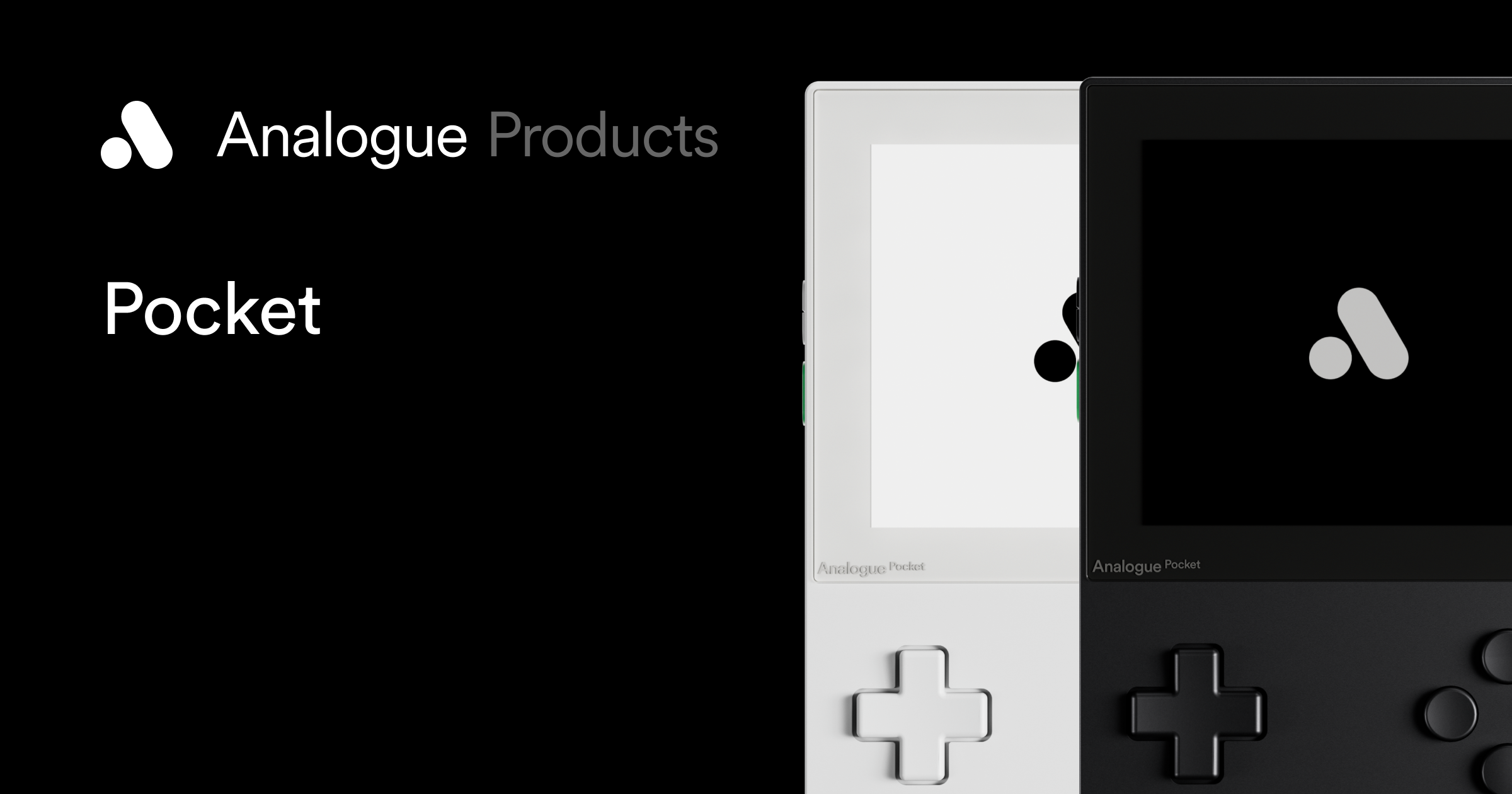
The Analogue Pocket is the definitive FPGA handheld for Game Boy collectors. It runs two custom FPGAs and ships with cores for Game Boy, Game Boy Color, and Game Boy Advance built in. Via the openFPGA platform, community developers have added cores for NES, SNES, Sega Genesis, Neo Geo, Atari Lynx, Game Gear, and more — all running at hardware level.
Pocket Specs (2026)
- Display: 3.5-inch LCD, 1600×1440 resolution, 615 ppi (Gorilla Glass)
- FPGA: Cyclone V (5CEBA4F23C8N) + Intel MAX 10 — two dedicated programmable logic chips
- Cartridge compatibility: Native GB/GBC/GBA slots; adapters available for Game Gear, Neo Geo Pocket Color, TurboGrafx-16, Atari Lynx
- Battery: 4,300mAh (reported 6–10 hours depending on core)
- DAC: Dedicated audio output — original Game Boy link cable compatible
- Price: $249.99 MSRP (limited availability — check the Analogue store for restock)
What the Pocket does that no emulator can is run your actual cartridges with hardware-accurate behaviour. If you’re playing a game that uses the GBC’s infrared port, the serial link, or the RTC (real-time clock) — it all just works. For GBC homebrew developers, this is non-negotiable: testing on Pocket is the closest thing to testing on original hardware without a flash cart on a DMG.
The 615ppi display deserves special mention. Original Display Modes recreate the dot matrix grid of a DMG, the washed colour palette of an original GBC, or the backlit LCD response of a GBA SP — the kind of display simulation that’s genuinely difficult to appreciate until you see it. For collectors, it’s a premium feature that’s genuinely impressive.
Anbernic RG35XX H: Budget Emulation, Surprisingly Capable
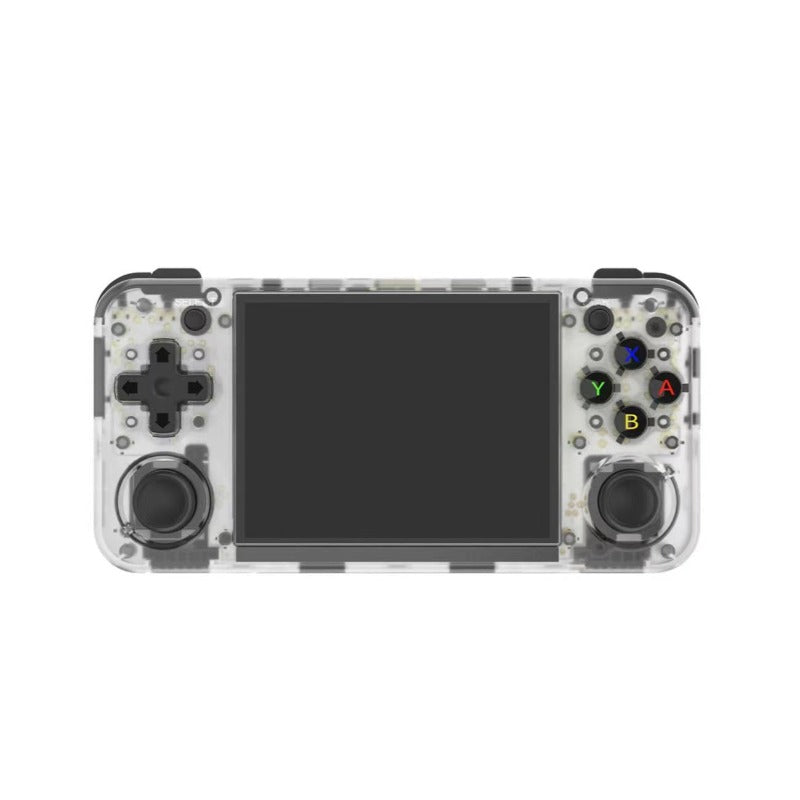
At the other end of the price spectrum sits the Anbernic RG35XX H — a horizontal-form-factor handheld running a 64-bit Linux OS with mGBA, Gambatte, and other top-tier emulators pre-installed. It costs $57.99 direct from Anbernic.
RG35XX H Specs
- SoC: AllWinner H700 (quad-core ARM Cortex-A53)
- RAM: 1GB DDR3
- Display: 3.5-inch IPS, 640×480
- Storage: MicroSD (2x slots)
- Battery: 3,000mAh
- OS: Linux 64-bit (compatible with GarlicOS, Knulli, MinUI)
- Systems: GB/GBC/GBA/NES/SNES/MD/PS1/N64 (lighter titles)
- Price: $57.99 direct from Anbernic
For Game Boy and GBA emulation, the RG35XX H runs mGBA at full speed with zero dropped frames. The Cortex-A53 isn’t fast enough for N64 at full emulation accuracy, but for anything 16-bit and below — including the entire GBA library — it’s completely capable. The horizontal layout feels natural for those systems, and the community firmware options (Knulli is particularly polished) make it a joy to use.
What you don’t get: cartridge support, cycle-accurate hardware timing, or the absolute edge-case accuracy of FPGA. For 98% of commercial GBA games, you will never notice the difference.
Retroid Pocket 5: Emulation for Power Users
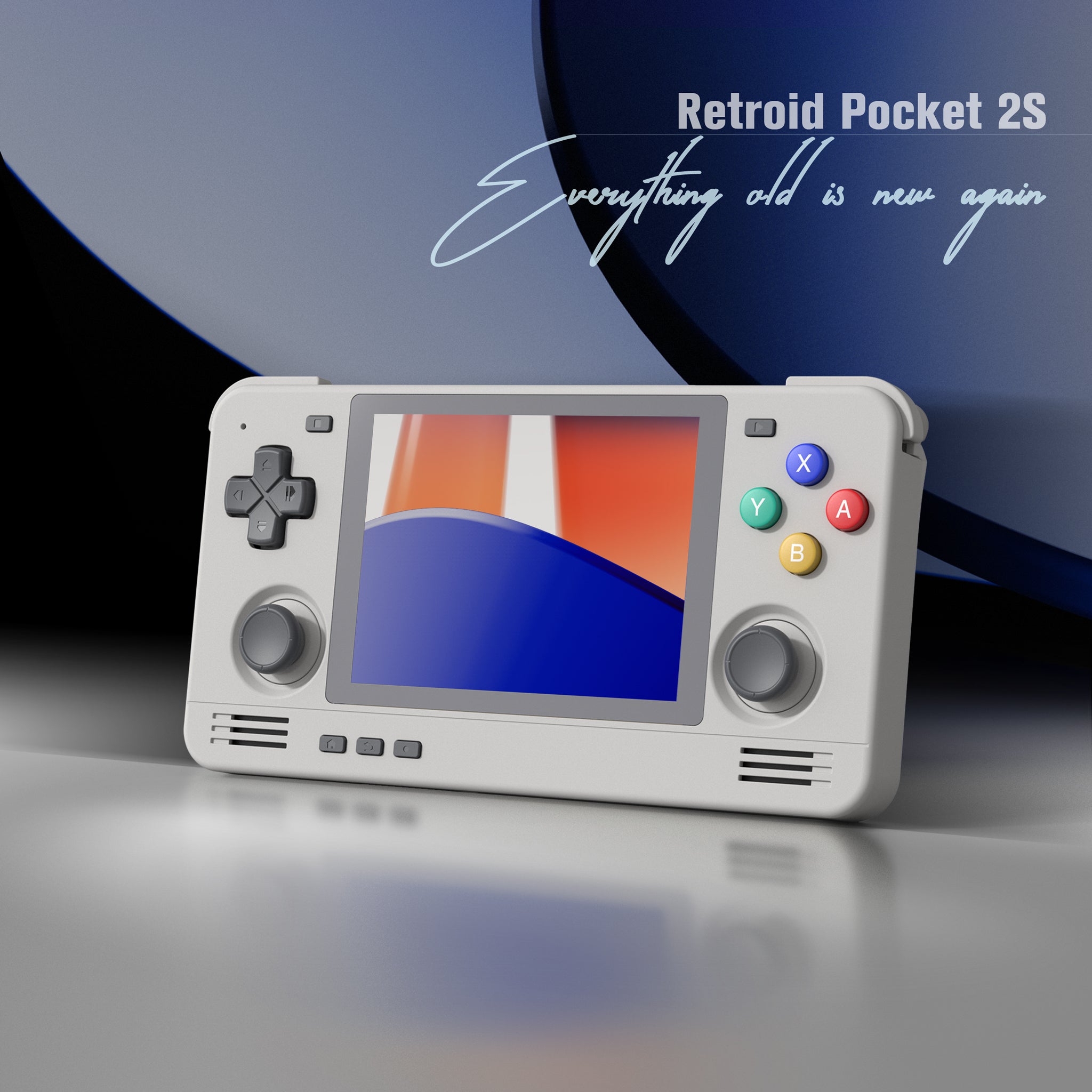
For those who want the full spectrum of emulation — up to and including GameCube, Wii, and PS2 — the Retroid Pocket 5 occupies the premium emulation tier. Running a Snapdragon 865 with Android 13, it’s powerful enough to run GameCube at full accuracy in Dolphin and handles PS2 titles well in AetherSX2.
Retroid Pocket 5 Specs
- CPU: Snapdragon 865 (1×[email protected] + 3×[email protected] + 4×[email protected])
- GPU: Adreno 650
- RAM: 8GB LPDDR4x
- Storage: 128GB UFS 3.1 + TF card
- Display: 5.5-inch AMOLED, 1080p@60fps
- Battery: 5,000mAh
- OS: Android 13 (OTA updates)
- Price: $199.00 (check Retroid store for availability)
The RP5 running mGBA plays GBA games beautifully — but it’s clearly overkill for the purpose. Where it shines is versatility: this is the device you buy when you want one handheld that handles everything from Game Boy to Wii. The AMOLED display at 1080p makes games look spectacular, and Android 13 means you have access to RetroArch, Dolphin, PPSSPP, and every other major emulator via the Play Store.
FPGA vs Emulation: Head-to-Head Comparison
| Feature | FPGA (Analogue Pocket) | Budget Emulation (RG35XX H) | Premium Emulation (RP5) |
|---|---|---|---|
| Timing accuracy | ✅ Cycle-exact | ⚠️ Near-perfect (mGBA) | ⚠️ Near-perfect (mGBA) |
| Input latency | ✅ <1ms | ⚠️ ~20–40ms | ⚠️ ~20–40ms |
| Cartridge support | ✅ Native GB/GBC/GBA | ❌ ROMs only | ❌ ROMs only |
| System coverage | ⚠️ GB/GBC/GBA + cores | ✅ Up to PS1/light N64 | ✅ Up to Wii/PS2 |
| Save states / fast forward | ❌ Limited | ✅ Full support | ✅ Full support |
| Display quality | ✅ 615ppi, OG modes | ⚠️ 640×480 IPS | ✅ 1080p AMOLED |
| Price | $249.99 | $57.99 | $199.00 |
When Does the Accuracy Gap Actually Matter?
Here’s the honest answer that the FPGA vs emulation debate often sidesteps: for most games, on most days, you will not perceive the difference. Open up Pokémon FireRed on mGBA and on the Analogue Pocket. Play for an hour. You will not find the experience meaningfully different.
The gap becomes relevant in specific, well-documented scenarios:
- Homebrew development: If you’re writing code that targets original hardware, you need to test on something cycle-accurate. The Pocket (or a real DMG with a flash cart) is the only way to be certain your timing is correct.
- Games with audio synthesis quirks: Certain GBC games use APU timing in non-standard ways. The difference between FPGA and emulation here is sometimes audible — though mGBA has significantly closed this gap since 2022.
- Serial link hardware: The GBC’s infrared port, the Game Boy Camera, the Game Boy Printer — these work natively on FPGA with the right accessories. Emulating them requires peripheral emulation support that varies by emulator.
- Speedrunning: The FPGA vs emulation question is relevant for competitive speedrunning where community rules specify hardware requirements or where sub-frame timing matters.
For casual play, complete ROM libraries, or multi-system coverage, emulation wins on every practical metric except input latency — and even that difference (20–40ms on a responsive ARM device) is well below most players’ perceptual threshold.
The openFPGA Ecosystem: What the Community Has Built
One underappreciated dimension of the Analogue Pocket’s value is the openFPGA platform. Analogue opened the Pocket’s FPGA development tools to the community in 2022, and the results have been remarkable. As of 2026, community developers have published FPGA cores for:
- NES/Famicom (Spiritualized1997’s NES core — widely considered reference quality)
- Sega Mega Drive / Genesis (Jotego’s FPGA core)
- SNES (Srg320’s core, reaching maturity)
- Neo Geo (Jotego’s MiSTer-derived core)
- Atari 2600, 5200, 7800
- ColecoVision, Intellivision, Vectrex
- PC Engine / TurboGrafx-16
The openFPGA ecosystem means the Pocket is not just a Game Boy machine — it’s a growing platform for hardware-accurate emulation of dozens of systems. The community updater tool (pocket_updater or Pupdate) makes keeping cores up to date as simple as a button press.
Which Should You Buy?
Buy the Analogue Pocket if:
- You have a physical Game Boy/GBC/GBA cart collection you want to play properly
- You develop or test homebrew for GB/GBC/GBA hardware
- Display accuracy and input latency are genuinely important to you
- You’re a collector who values owning the premium version of something
- Budget is $250 and Game Boy is your primary focus
Buy an Anbernic RG35XX H if:
- You want a capable, affordable device for the complete GBA library
- You play primarily from ROM backups of games you own
- You want SNES, Sega, and PS1 support alongside GBA
- Budget is under $60 and you don’t need cartridge support
Buy a Retroid Pocket 5 if:
- You want one device that handles everything up to Wii and PS2
- Android apps and streaming (Steam Link, Moonlight) are part of your use case
- Display quality and build premium matter to you at the emulation tier
The Bottom Line
FPGA and software emulation are not competing answers to the same question — they’re different tools for different needs. The Analogue Pocket is the right answer for Game Boy collectors and developers who prioritise accuracy above all else. For everyone else building a general-purpose retro library, modern emulation — even at the $57.99 tier — delivers an experience that would have been considered miraculous five years ago.
The technology gap between FPGA and top-tier software emulators has never been narrower. What remains is a genuine philosophical difference: do you want to run the hardware, or simulate it? Both approaches work. Both are legitimate. The best choice is the one that matches how you actually play.
Leave a Reply