
This post contains affiliate links. If you purchase through these links, I may earn a small commission at no extra cost to you. I only recommend products I’ve personally researched and believe are worth your money.
📱 Watch the Short
Prefer a quick summary? Watch the 30-second version on YouTube.
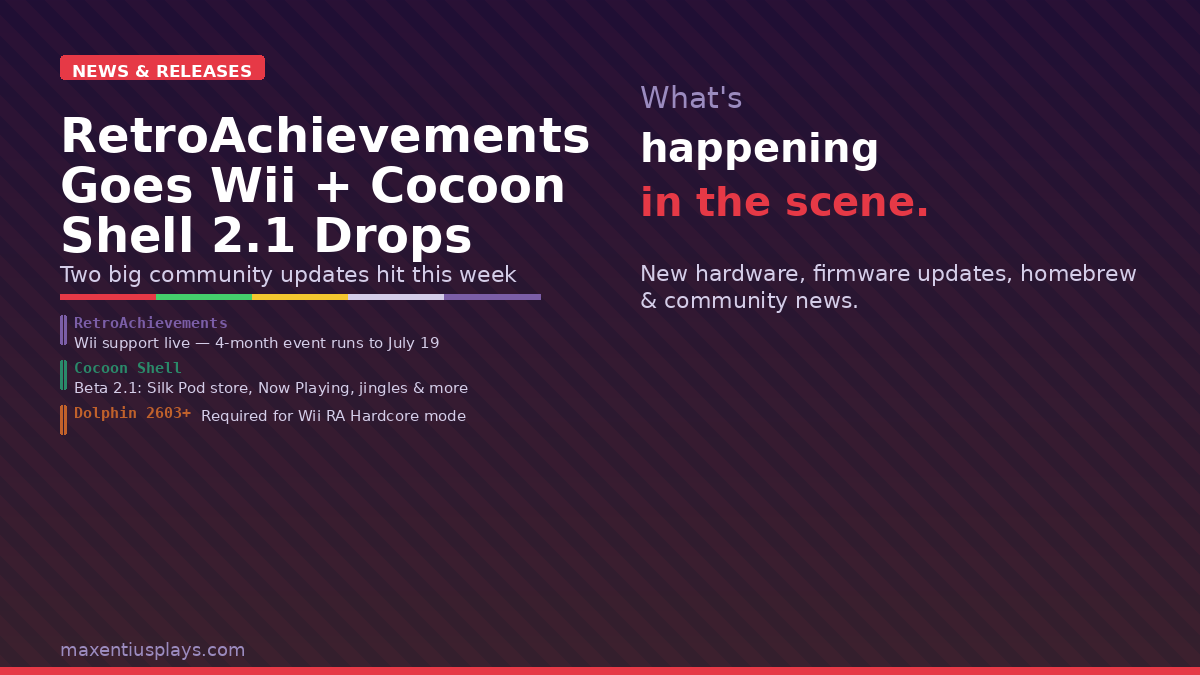
Two meaningful updates dropped in the retro gaming community this week: RetroAchievements has officially launched Wii support, complete with a four-month community event, and Cocoon Shell Beta 2.1 landed with a string of quality-of-life additions for dual-screen handheld owners. Here’s everything you need to know about both.
RetroAchievements Finally Supports Wii — and There’s a Four-Month Launch Event to Celebrate
It’s been a long time coming, but as of March 19, 2026, RetroAchievements has officially added Wii support. You can now earn community-crafted achievements across Wii titles when playing via Dolphin emulator — the same way GameCube cheevos work, but extended to Nintendo’s motion-controlled era.

What You Need to Get Started
Before you start stacking Wii cheevos, there are a few setup requirements:
- Dolphin version 2603 or newer is required for Wii achievement and Hardcore mode support. Older builds will not work correctly.
- Disc formats ISO and RVZ are fully supported. WiiWare WAD support is still being ironed out and not yet stable.
- Your RetroAchievements account must be linked in Dolphin’s settings — same process as with GameCube.
If you’re running Dolphin on an Android handheld like the Retroid Pocket 5, AYN Odin 2, or a high-end Anbernic device, you’ll need to update to the latest nightly or stable release of Dolphin from the official site to ensure you’re on a 2603+ build.
The Four-Month Wii Launch Event (March 19 – July 19, 2026)
To celebrate the rollout, RetroAchievements is running a dedicated four-month event titled — fittingly — the Wii Waggle Event. The concept is simple: earn points by beating and mastering Wii games during the event window, and collect exclusive tier badges at Bronze, Silver, Gold, and Grandmaster thresholds.
Here’s how points break down:
- Beating a Wii game = 1 point
- Mastering a Wii game = 2 points (upgrade from a beat)
- 2× Bounty games = 2 points for a beat, 4 for a master
- 3× Bounty games = 3 points for a beat, 6 for a master
Hardcore Mode is required — no save states cheesing your way to Grandmaster. All progress is tracked automatically by RetroAchievements; no manual submissions needed. Any Wii game with achievements released during the four-month window is eligible for points, including late additions to the library.
The event is a clever way to seed the community into actually building achievement sets for Wii titles. More people playing Wii games on RA = more developer interest in building sets = more coverage over time. It’s a smart flywheel.
What It Means for Retro Handheld Players
For handheld gamers running Dolphin, this is a genuine reason to revisit your Wii library. Games like Metroid Prime 3: Corruption, Super Mario Galaxy, Xenoblade Chronicles, No More Heroes, and dozens of waggle-heavy hidden gems now have achievement layers on top. That changes replay value significantly for anyone who has already burned through the main campaign of these titles.
The motion control challenge is real — many of these games simply were not designed to be played without a Wiimote. Dolphin’s motion control emulation via mouse or right stick is functional but not identical to the original experience. If you have a real Wiimote and a Bluetooth adapter, this is a good excuse to pair them up.
Cocoon Shell Beta 2.1 — The Dual-Screen Launcher Gets Smarter
If you’ve been following the dual-screen handheld scene — the AYN Thor, AYANEO Pocket DS, and their relatives — you already know that software has been the variable. Great hardware, but the launchers and custom UIs have needed time to mature. Cocoon Shell has been one of the more promising options, and Beta 2.1 is a substantial jump forward.

The Big New Features
Silk Pod is the headline addition. Previously, customizing Cocoon with community themes and assets required manually downloading files from the Cocoon Discord server and copying them into the correct folder structure on your device. That was a real barrier for less technically-inclined users, and it limited how discoverable community work actually was. Silk Pod is Cocoon’s answer: an integrated theme and asset store, built directly into the launcher. Browse, download, and apply themes without ever touching a file manager.
Now Playing turns your second screen into something genuinely useful while a game is running. Previously, launching a game left the bottom screen idle — a waste of the dual-screen hardware’s potential. Now Playing gives you your game art, active session information, and quick dock access directly on screen two. It’s a small thing that makes the hardware feel intentional rather than gimmicky.
Game Jingles let you assign audio files to individual games, which play when you hover over them — exactly like the Nintendo 3DS banner jingles. If you grew up cycling through your 3DS home screen listening to that iconic Zelda jingle, this will hit differently.
Rebuilt game session tracking is the most practically useful addition for serious players. Cocoon now starts a formal tracking session the moment you launch a game and logs playtime to the second. If the launcher loses focus — you tab away via the task switcher, receive a notification, whatever — the session pauses automatically and resumes when you come back. No phantom hours, no missing time. The session data persists across reboots.
Flutterkey is a combined keyboard, trackpad, and trackball interface designed for the bottom screen. For devices that need text input or cursor navigation, it replaces awkward on-screen keyboards with something purpose-built for the form factor.
Getting Beta 2.1
Cocoon Shell is free and open source. Beta 2.1 is available now directly from the GitHub releases page.
The full changelog is available on the Cocoon Shell news page. The Cocoon Discord is the best place to find community themes and troubleshooting help once you have the launcher installed.
Which Devices Support Cocoon Shell?
Cocoon Shell runs on Android and is designed primarily for dual-screen devices. Currently the best-supported hardware includes:
- AYN Thor — the flagship dual-screen Android handheld
- AYANEO Pocket DS — AYANEO’s take on the dual-screen form factor
- Single-screen Android handhelds are also supported, though the Now Playing and dual-screen features require a second display to shine
The Week in Brief
Between RetroAchievements going Wii and Cocoon Shell landing a meaningful beta update, this has been a productive week for community-driven retro gaming software. Neither project has a corporate budget. Both are built by developers who care about making the hobby better for everyone who participates in it. That’s worth noting.
If you’re jumping into the Wii RA event, the four-month window gives you plenty of runway — but given the Bounty system and the badge tiers, the serious completionists will be grinding from day one. Get Dolphin updated and get in there.
Sources: Retro Handhelds | RetroAchievements Forum | Retro Handhelds (Cocoon) | Cocoon Shell Official
Leave a Reply