
The Game Boy Camera has always been one of the strangest, most beloved accessories Nintendo ever produced. A chunky little cartridge with a rotating fisheye lens, capable of capturing blurry 128×112-pixel monochrome photos — and now, thanks to a clever DIY adapter, you can beam those photos straight to your Android phone over USB-C without any printer, PC, or cartridge reader in the middle.
📱 Watch the Short
Prefer a quick summary? Watch the 30-second version on YouTube.
Ukrainian developer Anton Artemov has released the Game Boy Camera Adapter, an open-source hardware project built around a Raspberry Pi Pico that bridges the 1998 Game Boy Camera with a 2026 smartphone in a genuinely elegant way.
How It Works
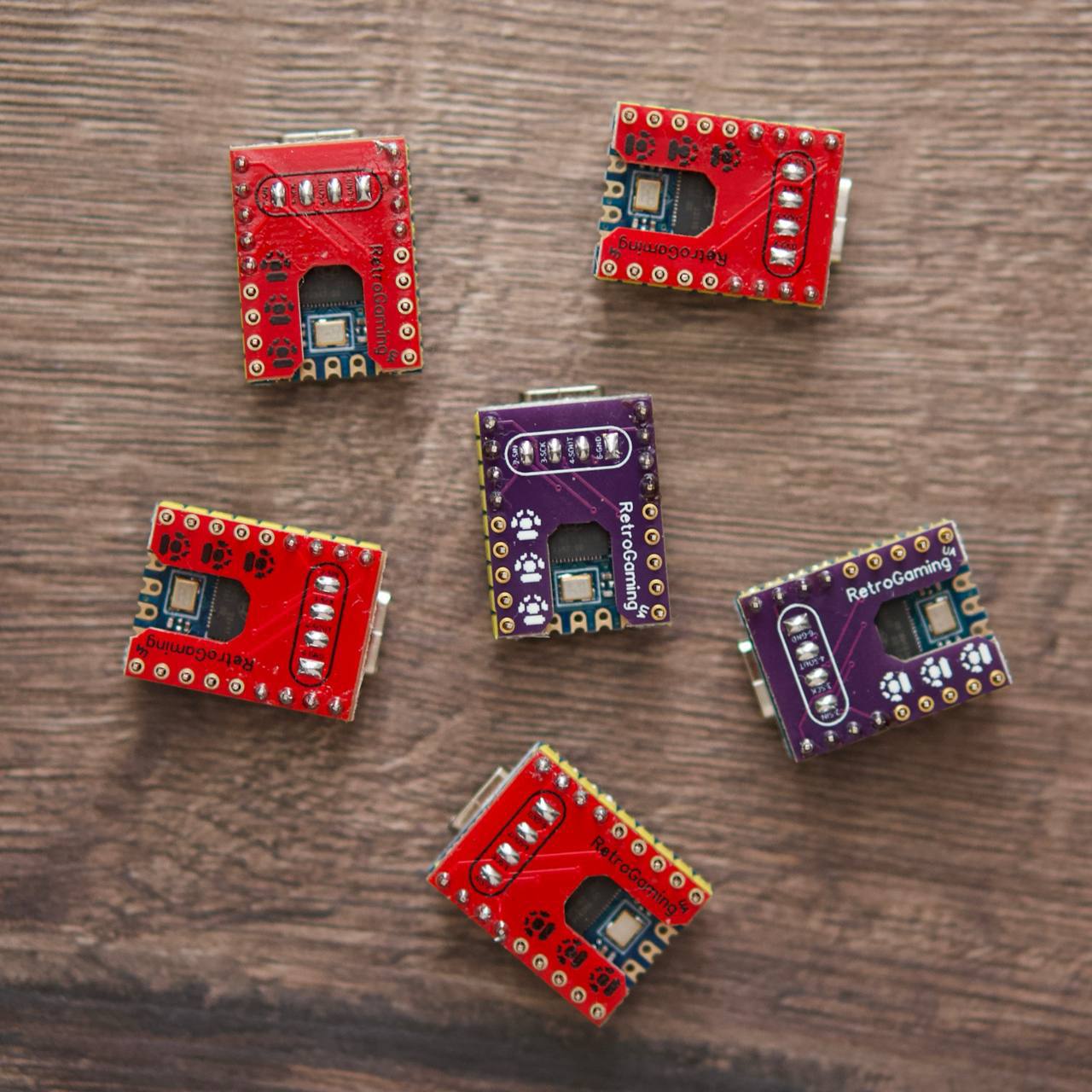
The adapter builds on the excellent pico-gb-printer project. At its core, the Pico firmware makes the Game Boy think it’s talking to a Game Boy Printer — which is exactly how the GB Camera sends its images. Instead of spooling thermal paper, however, the Pico captures the serial data and translates it into PNG files.
The clever bit is how those files get to your phone. Rather than requiring a PC in the loop, the Pico enumerates itself as a USB Ethernet device. It then runs a lightweight webserver at 192.168.7.1 that your phone can access via a browser. Artemov has also released a dedicated Android companion app that makes receiving and managing your photos even easier — no browser juggling required.
What You Need to Build One
This is a DIY project, so there’s some assembly required. The parts list is short and cheap:
- Raspberry Pi Pico (the original ~$4 model works fine)
- Half of a Game Boy Link Cable (you’ll cut it and solder to the Pico’s GPIO pins)
- Four-channel 5V-to-3.3V level shifter (the GB Link cable runs at 5V; the Pico’s GPIO is 3.3V)
- Basic soldering skills
The firmware build process uses Docker and is well-documented on the GitHub repo. You flash the resulting .uf2 file to the Pico in the usual drag-and-drop way, hook up the Link Cable wires per the schematic, and you’re done. Artemov also points to Raphael-Boichot’s PCB designs if you want a cleaner, socketed build with a proper GBC/GBA serial port connector instead of a cut cable.
Why This Matters
Game Boy Camera preservation and archival has historically been friction-heavy. The original Game Boy Printer is increasingly fragile, and thermal paper from 1998 is essentially a museum artifact now. Solutions like the BitBoy and GB Operator exist, but they require a PC, add cost, and are more focused on ROM dumping than casual photo transfer. Wi-Fi printer mods exist too, but they’re more complex to set up and often require custom firmware on a separate board.
The Camera Adapter is the first solution that genuinely feels like a modern peripheral — plug in USB-C, launch an app, shoot photos, transfer instantly. For the (admittedly niche) community of people who actually shoot with the GB Camera, that matters a lot. It also matters for collectors who want to archive photos stored on cartridges before the SRAM battery dies and takes everything with it.
From a homebrew developer perspective — and as someone who works at the assembly level on GBC hardware — the Game Boy’s serial link protocol is a fascinating piece of engineering. The fact that this project layers a Pico on top of it to convincingly emulate the Printer handshake is a great example of how cheap modern microcontrollers can breathe new life into old hardware protocols that were never meant to extend this far.
Current Status and Limitations
Right now, the adapter is a pure DIY project. Artemov has hinted at potential prebuilt units or kits for people who don’t want to solder, but nothing is confirmed yet. If you’re comfortable with a soldering iron and have a Pico lying around (and who doesn’t at this point), you can have a working unit in an afternoon.
Compatibility is currently Game Boy (DMG) and Game Boy Color, which covers every region of the original GB Camera. The adapter communicates via the standard 4-pin Link Cable protocol, so any cartridge that can output via the Link port — including the Camera in its various regional flavors — should work.
The companion Android app is a nice touch that moves this from “cool hack” to “actually usable tool.” iOS support isn’t mentioned yet, but since the Pico runs a standard webserver, iPhone users should be able to access photos via Safari at 192.168.7.1 even without a dedicated app.
Get the Files
The project is fully open-source and available on GitHub. If you want to build one, that’s your starting point.
The Android companion app is at a separate repo:
If prebuilt kits ever appear, we’ll update this post. In the meantime, dust off that Pico, dig out an old Link Cable, and start shooting with that chunky little lens again. Those pixelated portraits deserve to live somewhere better than a battery-backed SRAM chip.
This post contains affiliate links. If you purchase through these links, I may earn a small commission at no extra cost to you. I only recommend products I’ve personally researched and believe are worth your money.

Leave a Reply